Three friends, two upload options
Create a Gangnam Style AI three friends scene from a group image or separate portraits. All three roles are required; missing friends are not invented.
Bring three friends into a Gangnam Style AI street selfie. Use one group photo or three portraits for a fixed sequence: together, individual close-ups, then together again. Preview the still free; create your own video with credits.
Upload your three friends
One group photo · Exactly three adults · Positions follow the photoPhoto 1 · Exactly three adults together (required)
JPG, PNG or WebP · up to 10 MB each · Adults only
Reference preview
15 seconds · 2K · 16:9 landscape · Original reference audio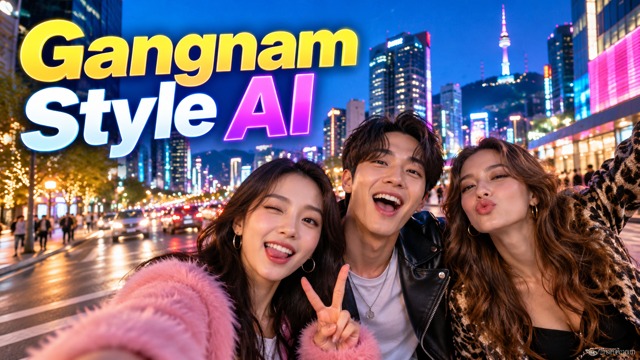
Temporary photos are removed after the task. Read our privacy policy.
Generated with Seedance 2.5. Use consenting adult photos. Main reference audio is included; the original PSY recording and music publishing rights are not promised. No artist affiliation. Content rules · Report content
Compare both clips before uploading. These Gangnam Style AI examples illustrate the effect, not your uploaded identities.
This Gangnam Style AI sample supplies generation motion and restored audio. Enable sound to listen.
Compare motion and framing in this Gangnam Style AI example. It has sound; generation uses the main sample.
A Gangnam Style AI video puts three faces into a street selfie. Watch the group opening, individual close-ups and final reunion.
The Gangnam Style AI generator takes identities from photos; scene, clothing, motion and cuts follow the sample. Photo backgrounds and outfits are ignored.
For a Gangnam Style AI selfie, prepare either one three-person image or three individual portraits. Browse the video template library if you need a solo clip or another setting instead.
The three friend Gangnam Style AI format gives everyone a close-up. Position labels distinguish upload order from the middle, right, left camera sequence.
For a Gangnam Style TikTok trend edit, preserve all three faces when cropping or adding captions. Either upload mode creates the same fifteen-second Gangnam Style AI sequence.
ReelTada has no PSY or song-rightsholder affiliation. A Gangnam Style AI scene depicts an imagined selfie, without implying a real event or artist collaboration.
Set up a Gangnam Style AI trio with labeled inputs and a sequence you can inspect before spending credits.
Create a Gangnam Style AI three friends scene from a group image or separate portraits. All three roles are required; missing friends are not invented.
The Gangnam Style AI template handles the group shots and close-ups. Skip prompts and styling; concentrate on clear faces and correct positions.
Each Gangnam Style AI render uses ten credits, checked before upload. Insufficient balance opens the pack dialog; confirmed failures return credits.
Create a Gangnam Style AI video in your browser using photos you have permission to animate.
Start your Gangnam Style AI selfie with exactly three adults in one photo, or upload portraits in middle, left, right order.
View the free still and both clips. Your Gangnam Style AI result follows the main sample’s landscape format and existing audio; check publishing permissions.
Generate your Gangnam Style AI clip, then inspect each face and transition. Download after audio restoration; refreshing checks the same task.
Help the Gangnam Style AI model distinguish all three people before the camera moves in.
Choose one group image of exactly three consenting adults, or three individual portraits. Your Gangnam Style AI three friends sequence follows the main example, without filming or describing the shots.
Yes. Your Gangnam Style AI selfie assigns middle, left and right identities by their positions in the photo. Use exactly three visible faces without overlap, extra people or confusing mirrored layouts.
Upload middle, left, right: photos one, two and three respectively. Your Gangnam Style AI video shows close-ups in a different order: middle, right, left. Check the labels before generating.
No. The Gangnam Style AI template uses a prepared scene and fixed camera sequence. Choose only your photo mode; there are no custom prompts, styles, background uploads or duration settings.
All three friends appear together, followed by middle, right and left close-ups, then a closing group pose. This Gangnam Style AI trend follows the selfie format rather than a full music video.
Preview the still and samples free without signing in. A personal Gangnam Style AI video requires an account and ten credits. The purchase dialog shows current one-time packs before checkout.
A paid Gangnam Style AI result restores the main sample’s existing audio. ReelTada has no PSY affiliation, does not promise the original song recording and grants no music publishing rights.
Choose music in your posting app where permitted after downloading your Gangnam Style AI result. Check usage terms and permissions. Example players begin muted; enable sound to inspect the sample audio.
Your Gangnam Style AI output is a fixed fifteen-second, 16:9 landscape MP4 at 2K. For vertical posting, review the crop in your editor so all three friends remain visible.
These phrases describe related searches. ReelTada’s Gangnam Style AI tool creates the displayed trio selfie independently. It is not an official artist app, song-cover service or source for original recordings and lyrics.
Use evenly lit, uncovered faces with correct assignments. Your Gangnam Style AI likeness, expressions and hands can vary despite identity instructions. Inspect every close-up; another generation uses another ten credits.
Confirmed failures return credits and show an error. Refreshing Gangnam Style AI restores the same task. Check uncertain requests before another paid attempt. Temporary input photos are removed after completion.
Bring three consenting friends into a Gangnam Style AI street selfie. Start with a group photo or three portraits and review the fixed sequence above.